Intake forms: onboard a borrower with one link
An intake form is a shareable, one-time link that collects a borrower’s details and creates the borrower record for you when they submit — no typing on your side, no login on theirs.
Open one from the Borrowers page: the “Intake form” header button opens the create dialog directly, or “Manage intake forms →” (bottom of the list) goes to the intake forms list.
The intake forms list
Section titled “The intake forms list”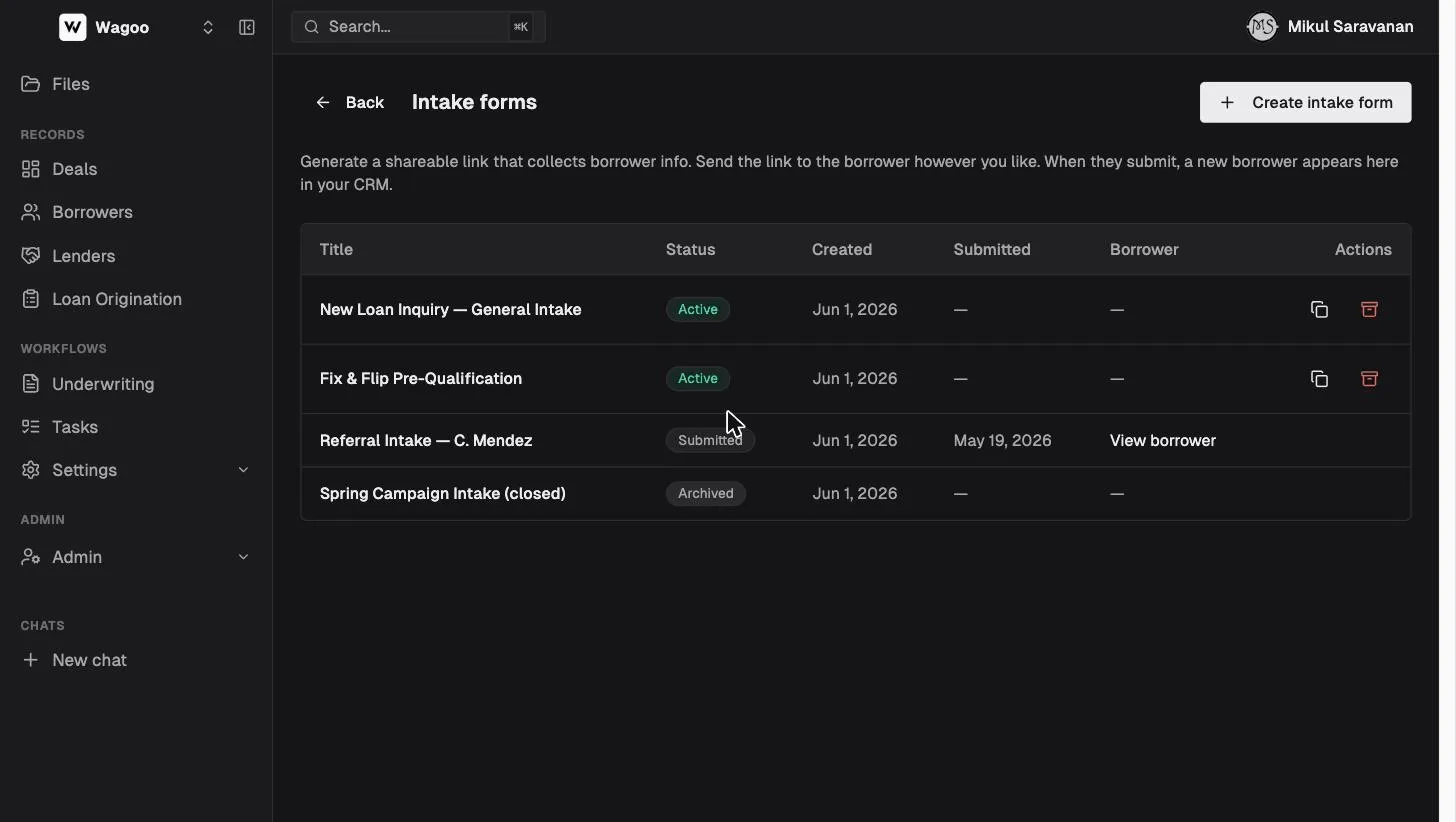
Sorted newest-first, with these columns:
| Column | Notes |
|---|---|
| Title | Your name for the form, or a muted “Untitled” |
| Status | Active (link live) · Submitted (borrower done, link dead) · Archived |
| Created / Submitted | Two separate date columns; ”—” before submission |
| Borrower | After submission, a “View borrower” link to the record it created |
| Actions | Icon-only Copy link (active forms) and Archive (active forms, non-demo) |
Archiving confirms first (“Archive this intake form? The share link will stop working. You can’t undo this.”, toast “Form archived”). Empty state: “No intake forms yet. Create one to get started.”
Creating a form
Section titled “Creating a form”Click “Create intake form”:
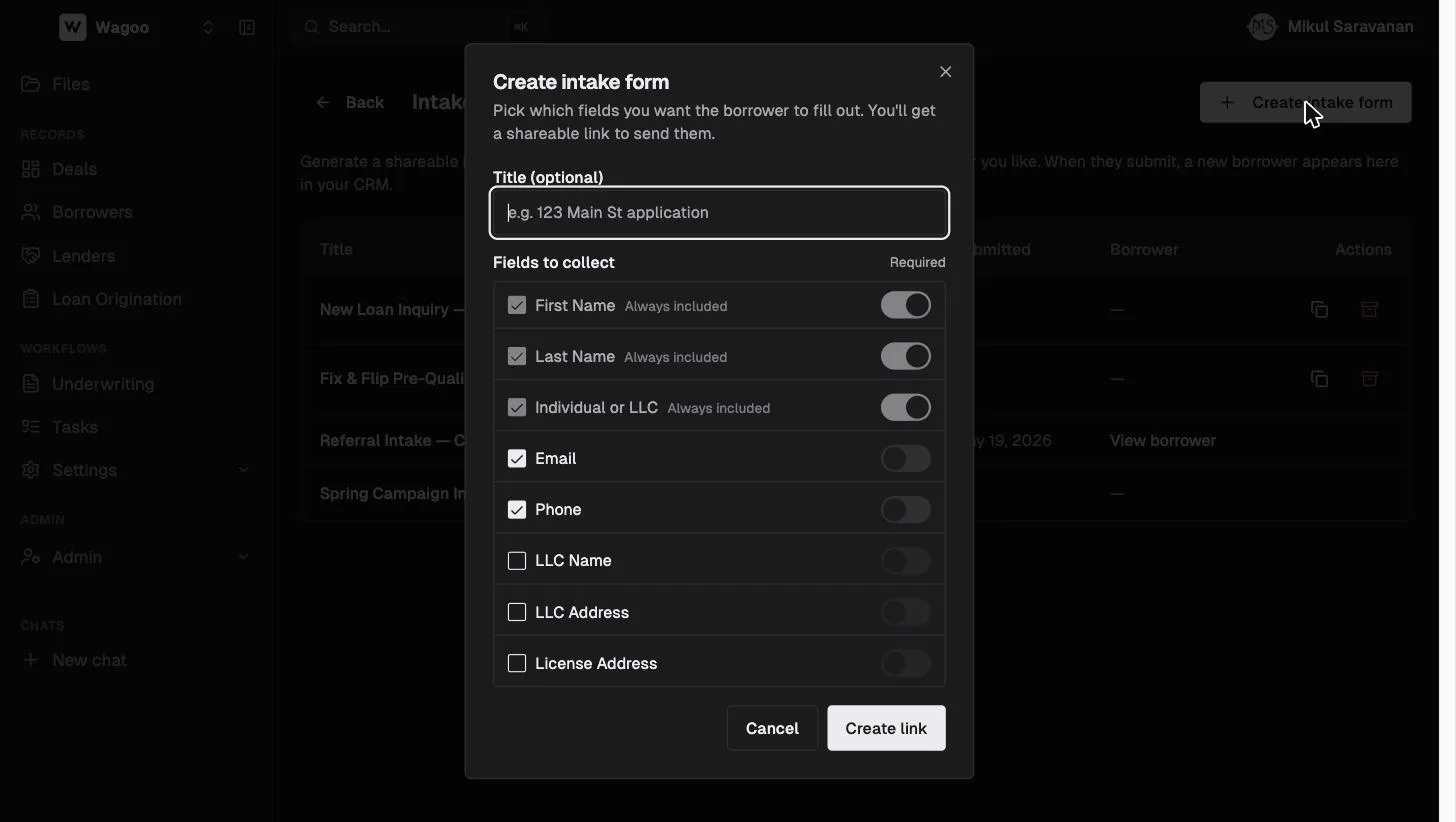
- Title (optional) — e.g. “123 Main St application”, so the list stays legible.
- Fields to collect — check what to include, and switch each Required:
- Always included (locked, tagged “Always included”): First Name · Last Name · Individual or LLC
- Optional: Email and Phone (both pre-checked by default) · LLC Name · LLC Address · License Address (start unchecked). Unchecking a field resets its Required toggle.
Click “Create link” (→ “Creating…”; disabled if no fields are selected; error “Could not create form”). The success screen — “Your intake link is ready” — shows the URL with an icon-only Copy button (flips to a check for 2s) and the note “One-time use. Once the borrower submits, the link stops working.”, plus a Done button.
What the borrower sees
Section titled “What the borrower sees”The public page (/intake/:token) shows only the fields you selected, no login.
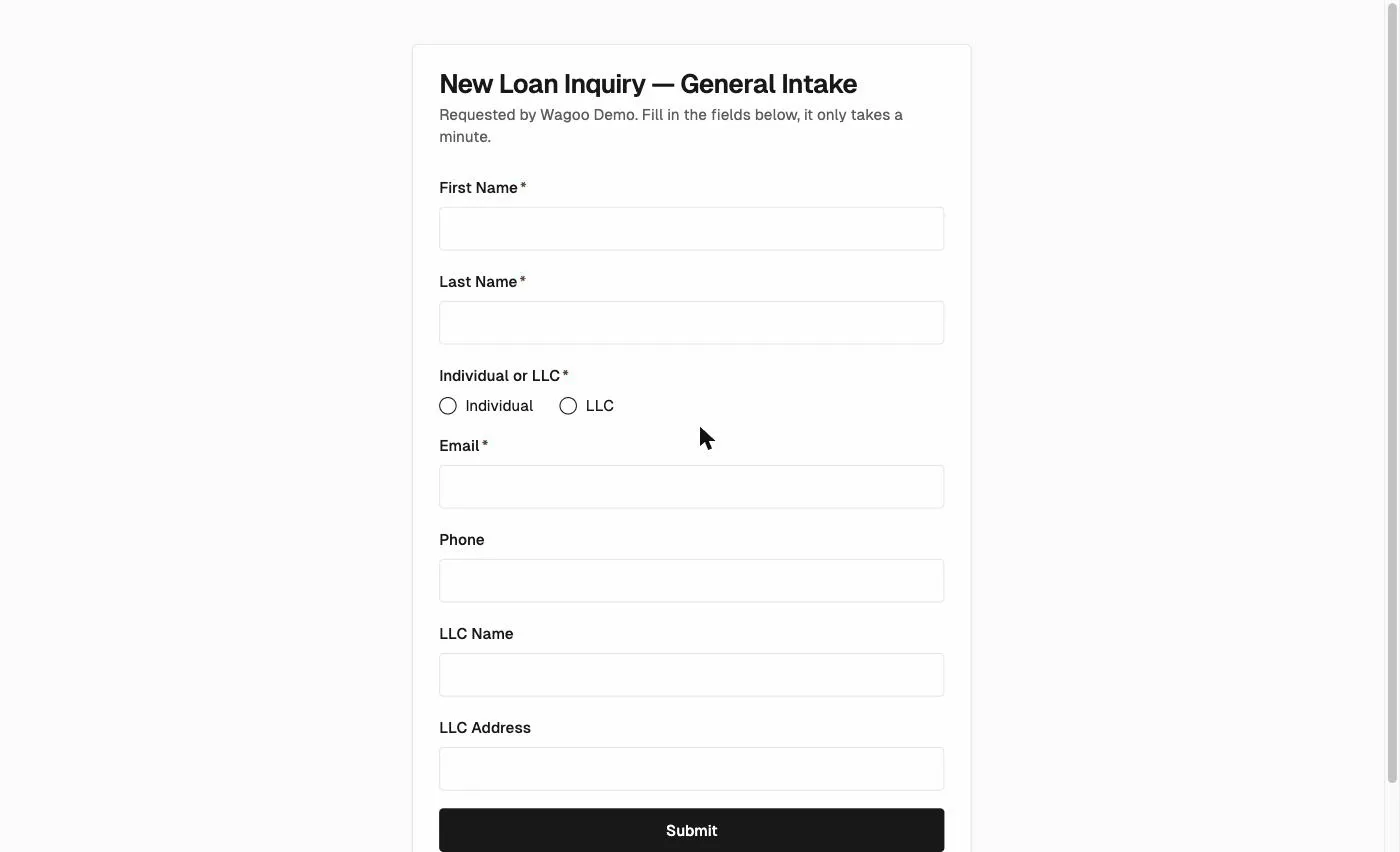
The card title is your form’s title (or “Borrower information”) with “Requested by {your firm}…”. “Individual or LLC” is a radio group (Individual / LLC); required fields show a red asterisk, with validation “Required” and “Enter a valid email”. The button reads “Submit” (→ “Submitting…”; error “Submission failed. Please try again.”).
On submit they see a card — “Thanks, we’ve got your info” / “{your firm} will reach out with next steps.” — and a new borrower appears in your Borrowers list, pre-filled. A dead or archived link shows “This form isn’t available” with “This form is no longer available.” or “The link may have expired or already been submitted. Contact the person who sent it to you for a new link.”
Frequently asked questions
Section titled “Frequently asked questions”Can I reuse one link for many borrowers? No — each intake link is one submission. Create a link per borrower, or use a Loan Origination intake link, which is permanent and spawns a fresh application per applicant.
Can I edit a form after creating it? No — the field set is fixed at creation. Archive it and create a new one.
What happens to the data if I archive an active form? The link stops working; nothing is created until a borrower actually submits.
Do intake forms collect documents? No — contact fields only. Document collection is what Loan Origination is for.
Related: Borrowers · Loan Origination